App Webhooks
App-level webhooks are connected to specific OAuth 2.0 applications and deliver events only for users who have authorized your app. Events are limited to the scopes granted during OAuth authorization.
Setting up App webhooks
- Only the Workspace Owner can create or update the App webhook URL.
- This feature is only available for Private (Server) applications.
To configure App webhooks:
- Go to Developer Settings page → Integration apps tab.
- Click to edit the app you want to configure, or click Create app to create a new app.
- Under Receive events on behalf of users section, enter your Webhook URL (HTTPS required).
- Click Save button.

Receiving events
Once your App webhook is configured, Lumin will automatically send HTTP POST requests to your endpoint when events occur for authorized users.
App webhooks receive events based on the OAuth scopes granted by users. For a complete list of available events, see Supported event types.
All webhook events follow a consistent JSON structure with additional user context. For detailed payload examples, see Event payload structure.
Event delivery rules
- One request per event: Each event triggers a separate HTTP POST request
- Real-time delivery: Events are delivered as they occur
- User-scoped coverage: Only events from users who have authorized your app
- Scope-dependent filtering: Events are limited to the scopes granted during OAuth authorization. For example, if your app does not enforce or a user does not grant
sign:requests.read/sign:requestsscope, you will not receive signature requests events.
Verify the webhook
Lumin provides a couple of headers on Webhook requests:
User-Agent: Sender agent. Always Lumin Sign API.
X-Signature: A hex digest SHA256 signature of the request's JSON payload, generated using your App's Signing Secret
You can view your app's signing secret in Developer Settings → Integration apps → Application details modal.
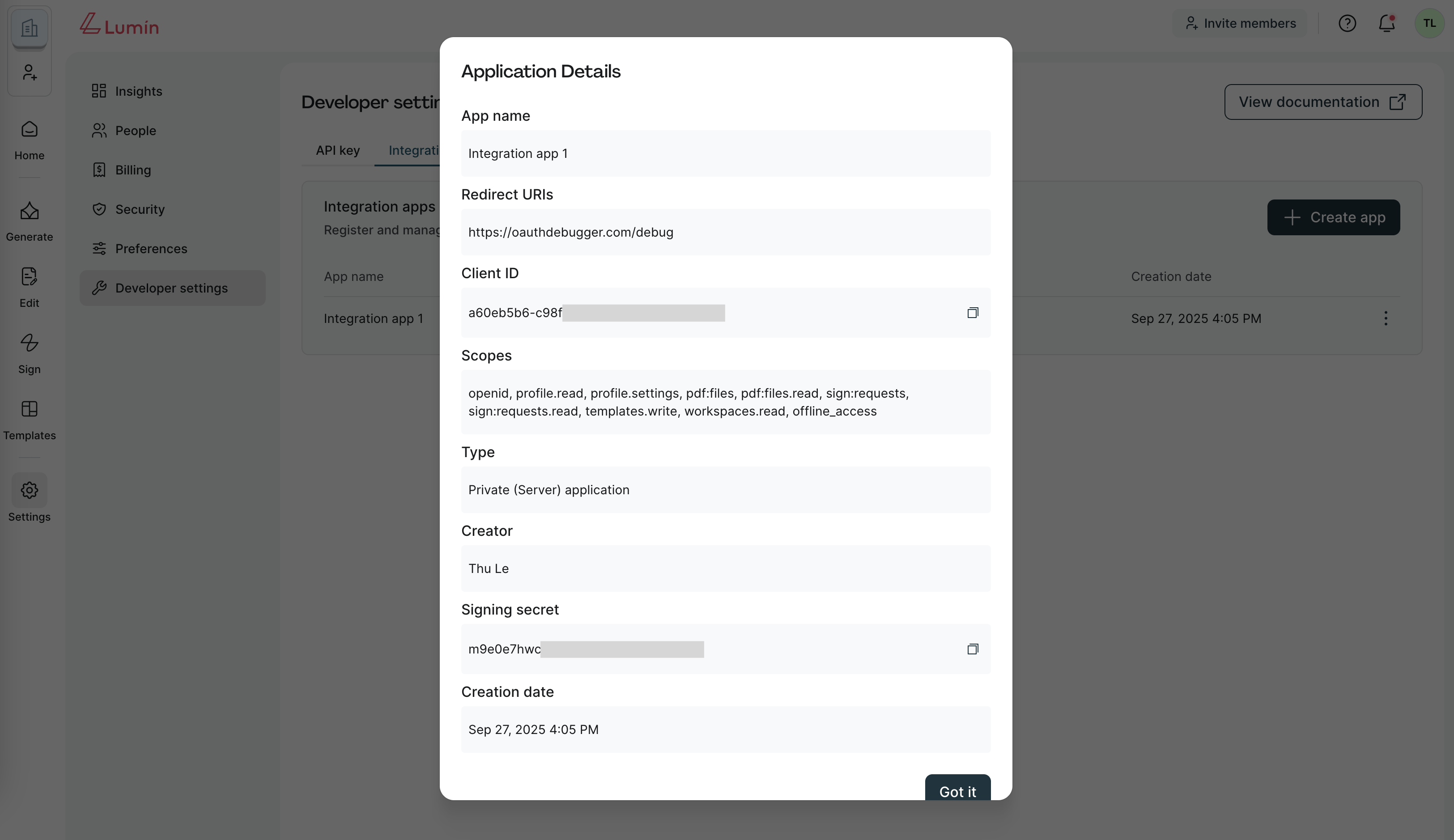
Verification steps:
- Read the
X-Signatureheader. - Compute HMAC-SHA256 with your App's Signing Secret.
- Compare securely with the header value.
- Reject if mismatch or timestamp expired.
Example:
signing_secret='your_app_signing_secret'
json='{"event": { "event_time": 1694664207595, "event_type": "signature_request_sent" }, "signature_request": { "signature_request_id": "fa5c8a0b0f492d768749333ad6fcc214c111e967", "title": "My first request" } }'

echo -n $json | openssl dgst -sha256 -hmac $signing_secret (X-Signature = 3810cb411041efab279d31698b9584372e5ede9d1641fbb354810f16e51be81c)
Respond to events
Your webhook endpoint must respond appropriately to ensure reliable event delivery:
Success response
- Return HTTP 200 OK to acknowledge successful receipt
- Respond within 30 seconds to avoid timeout
- No specific response body required - empty response is acceptable
HTTP/1.1 200 OK
Content-Type: application/json

{}
Error handling
- HTTP 4xx/5xx responses will trigger retry attempts
- Timeout responses (>30 seconds) will be retried
- Connection failures will be retried with exponential backoff
For detailed retry schedules and failure handling, see Retry rules and failure handling.