Scopes
When creating an OAuth 2.0 application in Lumin, you must define the scopes the app requires. Scopes determine the level of access an app has to a user's data and resources.
We recommend requesting only the scopes your app actually needs to ensure minimal permissions for security and a clearer consent experience for end users.
Selecting scopes
- During app creation, scopes can be selected in the Scopes section.
- Each scope corresponds to a specific resource, with examples given: profile, templates, PDF files, signature requests.
- The selected scopes will appear on the user consent screen, informing the user exactly what the app can access.
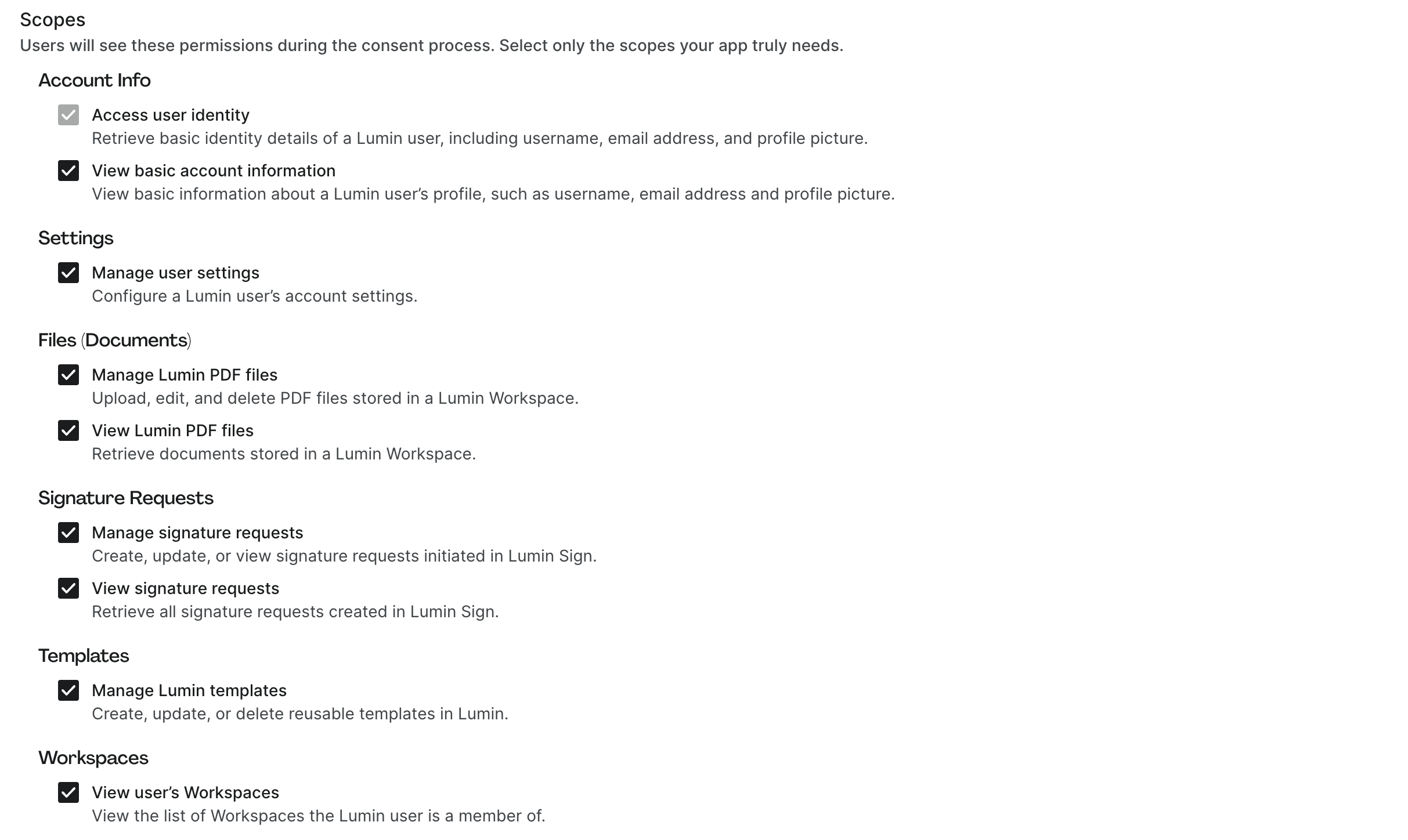
Viewing scopes for an existing app
- Scopes assigned to an existing application can be viewed by opening the Application details modal in Developer Settings → Integration apps.
- From there, you can view and copy the exact scope string for use in OAuth requests.
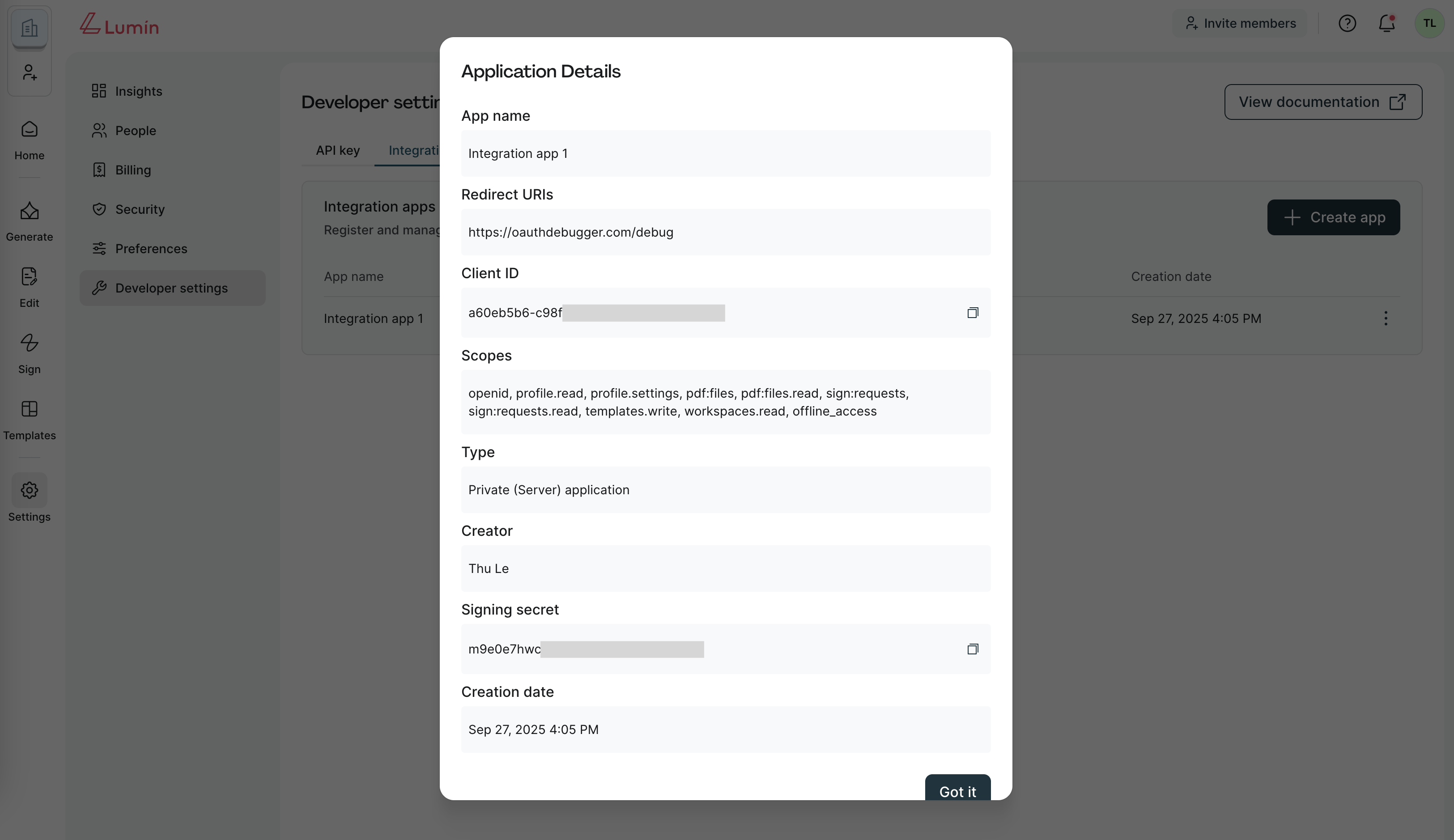
Supported scopes in Lumin
Lumin provides scopes across common resources such as Account, Workspaces, Files (Documents), Signature Requests, Templates, and Agreements.
| Category | Scope | Description |
|---|---|---|
| Account | openid | Retrieve basic identity details of a Lumin user, including username, email address, and profile picture. |
| Account | offline_access | Request a refresh token to maintain access when the user is not actively signed in (only available for Private (Server) apps). |
| Account | profile.read | View basic information about a user's profile, such as username, email address and profile picture. |
| Account | profile.settings | Manage a user's account settings. |
| Workspace | workspaces.read | View the Workspace information that the user authenticated with. |
| Templates | templates | View and manage templates in a Lumin Workspace. |
| Files (PDF documents) | pdf:files | Create, edit, and delete PDF files stored in a Lumin Workspace. |
| Files (PDF documents) | pdf:files.read | Retrieve PDF documents stored in a Lumin Workspace. |
| Signature Requests | sign:requests | Create, update, or view signature requests initiated in Lumin Sign. |
| Signature Requests | sign:requests.read | Retrieve signature requests created in Lumin Sign. |
| Agreements | agreements | Create, update, or delete AgreementGen documents in a Lumin Workspace. |
info
Private integration apps are granted the openid and offline_access scopes by default.
Best practices
- Request the minimum set of scopes necessary for your app's functionality.
- Regularly review the scopes in your app to ensure they align with your use case.